自定义功能积木
turbowarp 可以通过加载.js文件自定义积木模块,下面是一个自定义和风天气预报程序,该程序通过固定的格式定义了模块功能,通过输入城市名称,使用Fetch函数调回和风天气预报的后端数据(城市名称、天气、温度、体感、湿度)
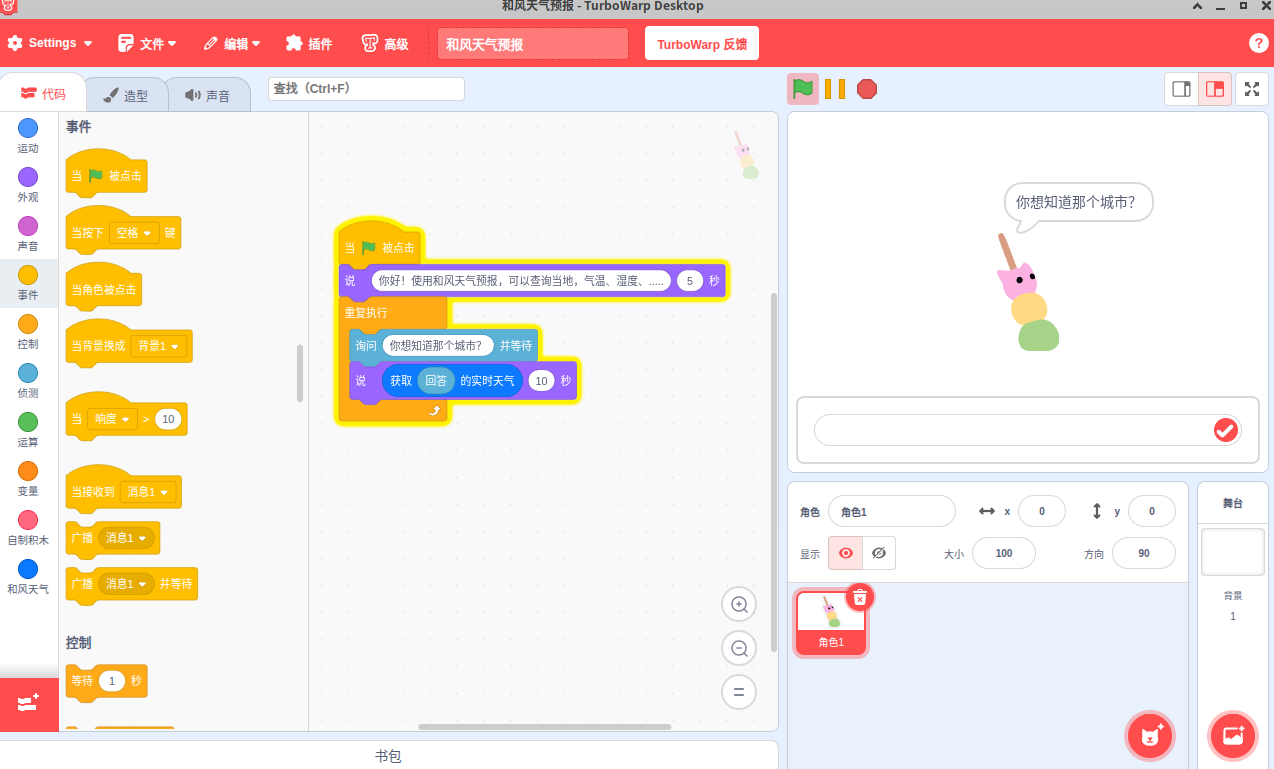
和风天气预报脚本(点我试试!!)
// TurboWarp 和风天气自定义扩展
// 使用前请先在 https://dev.qweather.com 注册账号并获取免费API密钥

class QWeatherExtension {
  // 获取扩展信息,定义积木块
  getInfo() {
    return {
      id: "qweather",           // 扩展唯一ID
      name: "和风天气",          // 扩展显示名称
      color1: "#0A7BFF",        // 积木块主色调
      color2: "#0056CC",        // 积木块辅助色
      blocks: [
        {
          opcode: "getWeather",              // 对应下方的方法名
          blockType: Scratch.BlockType.REPORTER,  // 报告器类型(返回数值/文本)
          text: "获取 [CITY] 的实时天气",     // 积木文本,[CITY] 是参数占位符
          arguments: {
            CITY: {
              type: Scratch.ArgumentType.STRING,  // 参数类型:字符串
              defaultValue: "北京"                 // 默认值
            }
          }
        }
      ]
    };
  }

  /**
   * 获取实时天气的核心方法
   * @param {object} args - 积木块传入的参数对象
   * @param {string} args.CITY - 要查询的城市名称
   * @returns {Promise<string>} 返回格式化的天气信息
   */
  async getWeather(args) {
    const city = args.CITY;
    // ⚠️ 重要:请将下面的 "YOUR_API_KEY" 替换为您在和风天气官网申请的密钥
    const apiKey = "你的和风天气API_key";

    // 和风天气API的基础地址(免费版)
    const geoUrl = `https://geoapi.qweather.com/v2/city/lookup?location=${encodeURIComponent(city)}&key=${apiKey}`;

    try {
      // 第一步:根据城市名称获取 Location ID
      const geoResponse = await fetch(geoUrl);
      const geoData = await geoResponse.json();

      // 检查城市查询是否成功
      if (geoData.code !== "200") {
        return `未找到城市: ${city},错误代码: ${geoData.code}`;
      }

      // 取第一个匹配的城市
      const locationId = geoData.location[0].id;

      // 第二步:使用 Location ID 获取实时天气
      const weatherUrl = `https://devapi.qweather.com/v7/weather/now?location=${locationId}&key=${apiKey}`;
      const weatherResponse = await fetch(weatherUrl);
      const weatherData = await weatherResponse.json();

      // 检查天气查询是否成功
      if (weatherData.code !== "200") {
        return `天气查询失败,错误代码: ${weatherData.code}`;
      }

      const now = weatherData.now;
      // 返回格式化的天气文本
      return `${geoData.location[0].name}: ${now.text},温度 ${now.temp}°C,体感温度 ${now.feelsLike}°C,湿度 ${now.humidity}%`;

    } catch (error) {
      // 网络错误或其他异常处理
      return `天气查询出错: ${error.message}`;
    }
  }
}

// 注册扩展到TurboWarp
Scratch.extensions.register(new QWeatherExtension());
用到扩展功能:
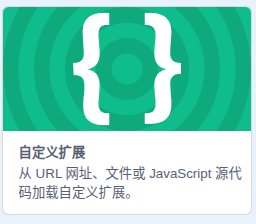
自定义积木: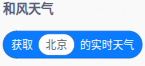
程序
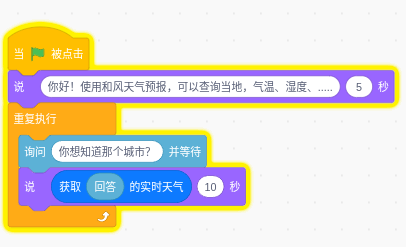
查询结果: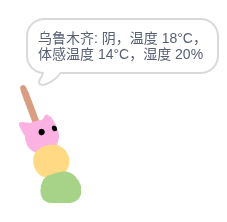
如果希望进一步了解,我们可以用元宝、deepseek等工具帮我们生成一个 智能体api调用,从而用turbowar作为我们的智能对话终端或知识库。